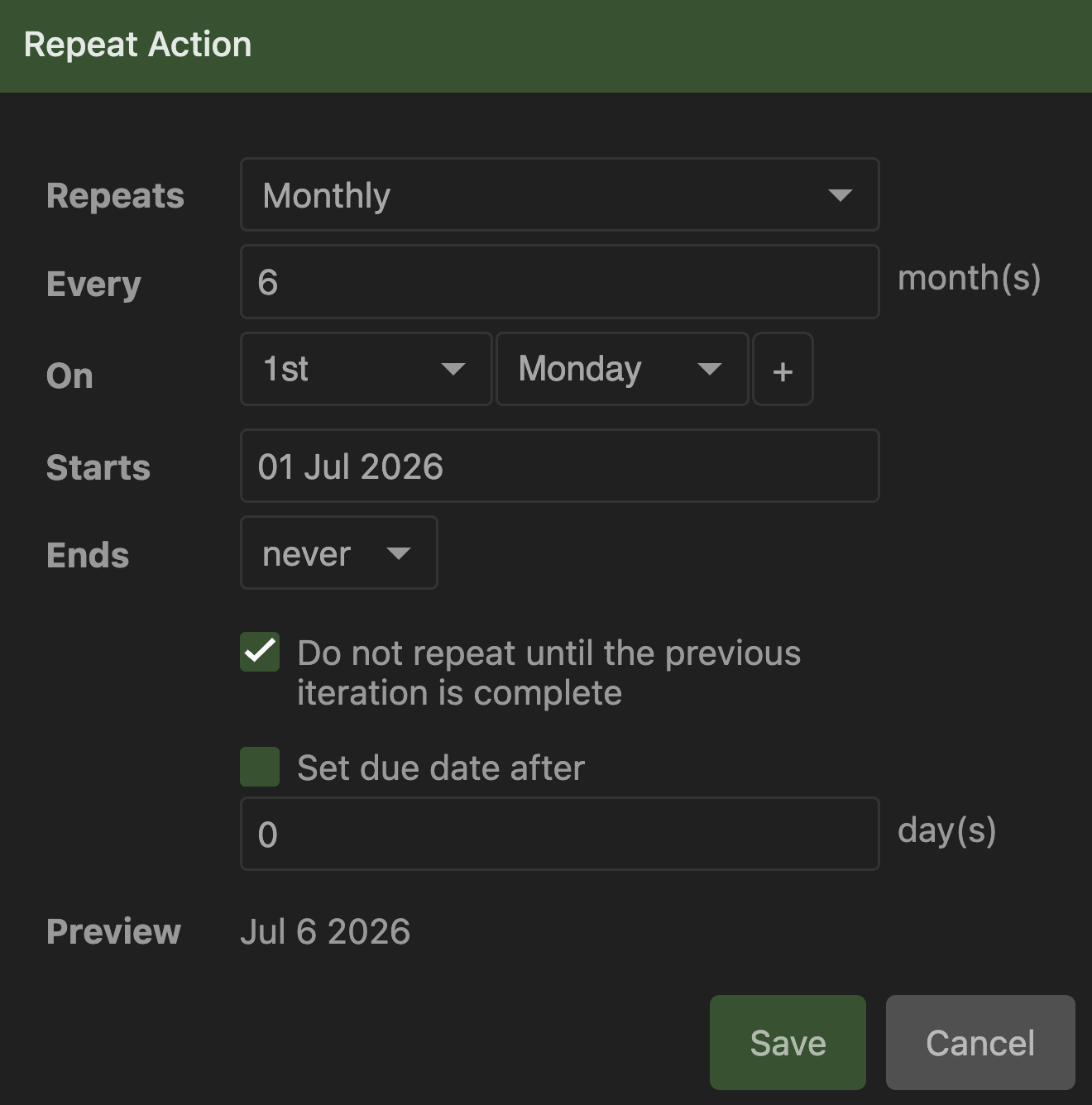
Scheduled repeated action correctly shows in “Scheduled” list on desktop as “Next Week” action (Jul 6 start date). When locally synced to Android phone, same action shows as “Future Dates” action (Dec 7 start date). Action scheduling settings are: Start date Jul 1 / repeats monthly / every 6 months / on 1st Monday, so start is on Jul 1, but because it’s not a 1st Monday it postpones it to Jul 6 as expected. Selecting the action on Android shows Jul 1 start date correctly. Also “1st Monday” is still correct (Dec 7 is Monday), but date is wrong
Same problem with other 2 similar actions with similar settings (they repeat every 3 or 4 months). Yearly repeating actions do not have this problem and sync correctly.
Date settings and internet connection are properly operating on both devices. Clean pull does not fix it. Pushing from Android client into desktop server still shows correct date on desktop
Did more testing: same thing when choosing another day of the week with same settings as described above. But it works as expected when I choose “on 1st Day”, which is what I actually needed (but it wasn’t selected by default, which I think it should’ve been as the most expected scenario)
The fact that the preview in your screenshot is showing the correct date strongly suggests that there’s no bug in the scheduling algorithm and if you save this action, it will appear as scheduled for Jul 6th. Unless the current date is already past Jul 6th, in which case the first clone will be created immediately, and the next one will be scheduled at +6 months.
Are you sure the Jul 6th clone was not already created in Next/Focus? It can be confusing but that’s just how repeating works in Everdo - Scheduling | Everdo Documentation
This screenshot shows desktop, which doesn’t have this problem. Algorithm might be correct, especially considering it only happens on Android (so in thread title “After local sync” should be replaced with “Android”), but something is wrong on Android.
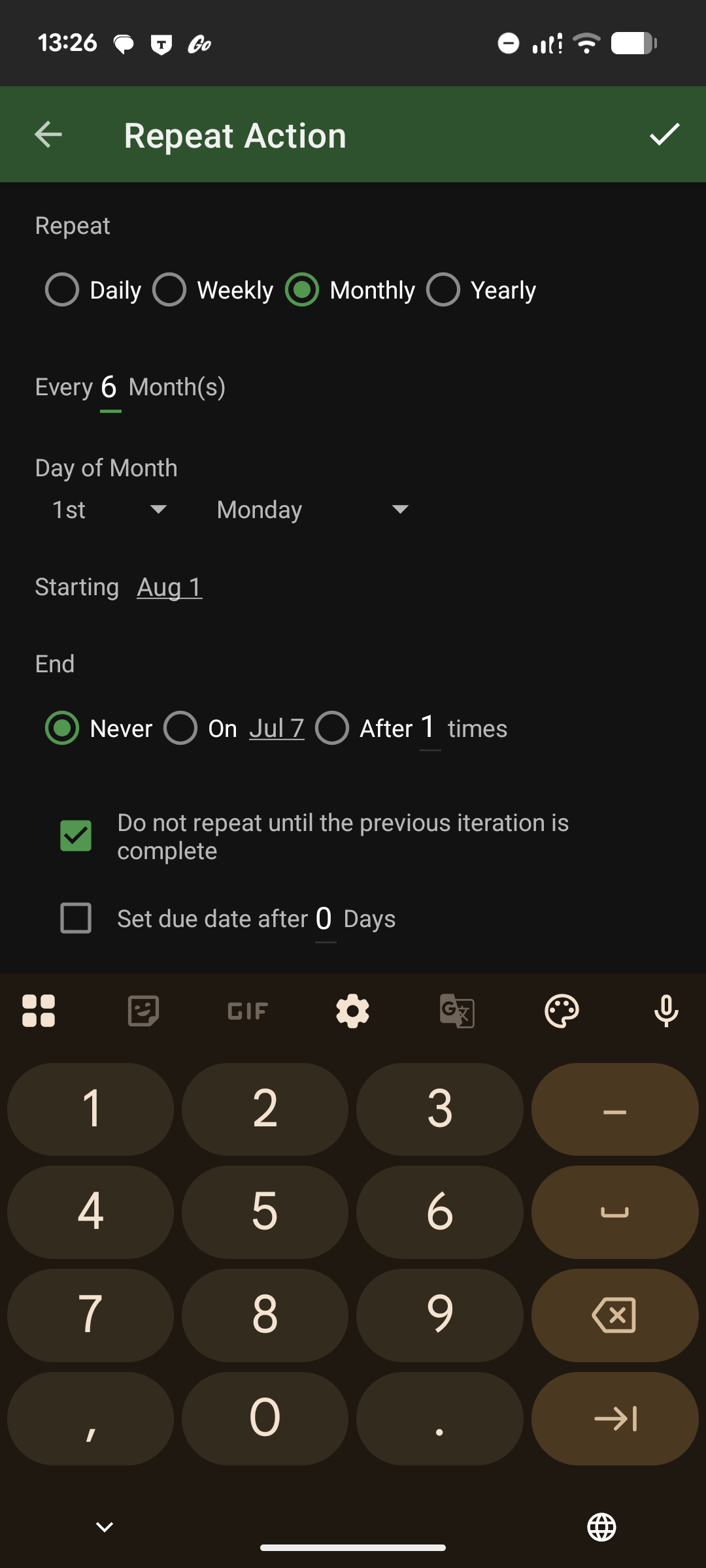
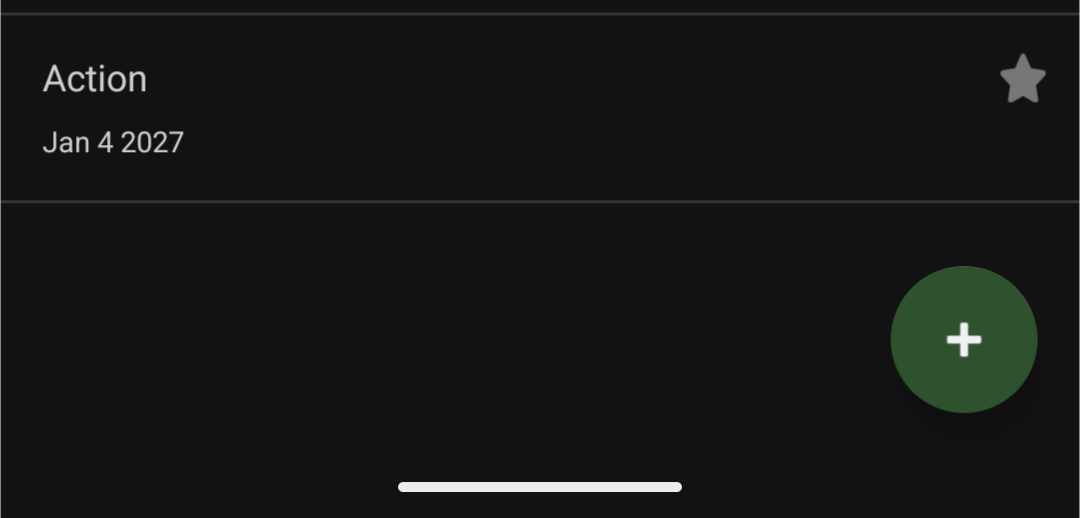
Another test case for Android, these settings result in “Jan 4 2027” start date label on Android instead of correct “Aug 3” (which is shown as expected on desktop). Start date label is shown near each action in scheduled actions list: