I’m noticing an error whenever I click into the “Scheduled Actions” list.
The “Scheduled Actions” list appears as empty although I have many scheduled actions.
The error pops up saying “Something went wrong”, briefly vanishes and returns after a few seconds.
The error message disappears for good when changing to a different type of action (i.e. “Next”).
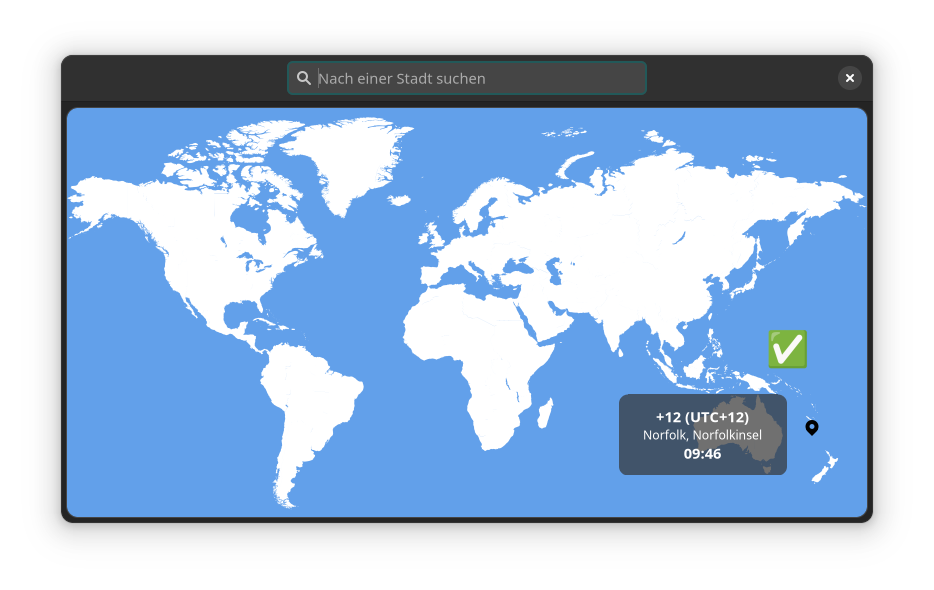
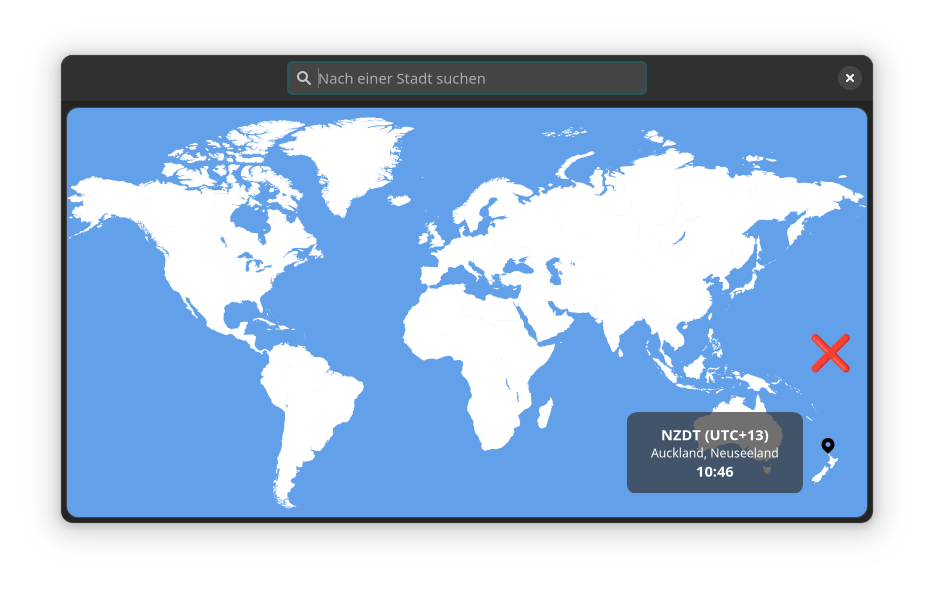
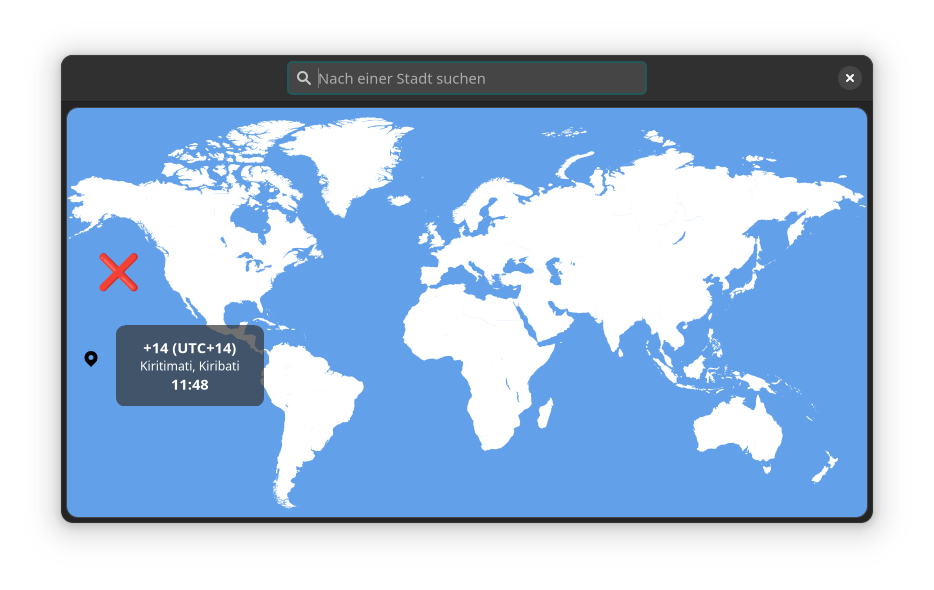
I suspect it might have something to do with the fact that I am currently travelling in New Zealand and am 12 hours ahead of my usual timezone (Central Europe).
My computer (Manjaro Linux) is set to the correct timezone. I am using Everdo 1.8.2.
On the Android app, everything functions normally. Old and new “Scheduled Actions” created on the desktop sync flawlessly to my phone.
Here is the output from error.log
{"ts":"2023-02-21T04:13:16.711Z","message":"Invalid offset: 13. Should be between -11 and +12.","stack":"Error: Invalid offset: 13. Should be between -11 and +12.\n at new je (file:///opt/Everdo/resources/app.asar/index.js:540:1000116)\n at je.current (file:///opt/Everdo/resources/app.asar/index.js:540:1000253)\n at Qe.adjustSecondsToCurrentTimezone (file:///opt/Everdo/resources/app.asar/index.js:540:1000597)\n at Ye (file:///opt/Everdo/resources/app.asar/index.js:540:1001482)\n at file:///opt/Everdo/resources/app.asar/index.js:540:1004761\n at file:///opt/Everdo/resources/app.asar/index.js:540:1004677\n at Ge (file:///opt/Everdo/resources/app.asar/index.js:540:1004757)\n at Object.Ze [as NextDate] (file:///opt/Everdo/resources/app.asar/index.js:540:1006616)\n at It (file:///opt/Everdo/resources/app.asar/index.js:540:1009194)\n at Array.sort (<anonymous>)"} {"ts":"2023-02-21T04:13:16.715Z","message":"Invalid offset: 13. Should be between -11 and +12.","stack":"Error: Invalid offset: 13. Should be between -11 and +12.\n at new je (file:///opt/Everdo/resources/app.asar/index.js:540:1000116)\n at je.current (file:///opt/Everdo/resources/app.asar/index.js:540:1000253)\n at Qe.adjustSecondsToCurrentTimezone (file:///opt/Everdo/resources/app.asar/index.js:540:1000597)\n at Ye (file:///opt/Everdo/resources/app.asar/index.js:540:1001482)\n at file:///opt/Everdo/resources/app.asar/index.js:540:1004761\n at file:///opt/Everdo/resources/app.asar/index.js:540:1004677\n at Ge (file:///opt/Everdo/resources/app.asar/index.js:540:1004757)\n at Object.Ze [as NextDate] (file:///opt/Everdo/resources/app.asar/index.js:540:1006616)\n at It (file:///opt/Everdo/resources/app.asar/index.js:540:1009194)\n at Array.sort (<anonymous>)"} {"ts":"2023-02-21T04:13:17.338Z","message":"Invalid offset: 13. Should be between -11 and +12.","stack":"Error: Invalid offset: 13. Should be between -11 and +12.\n at new je (file:///opt/Everdo/resources/app.asar/index.js:540:1000116)\n at je.current (file:///opt/Everdo/resources/app.asar/index.js:540:1000253)\n at Qe.adjustSecondsToCurrentTimezone (file:///opt/Everdo/resources/app.asar/index.js:540:1000597)\n at Ye (file:///opt/Everdo/resources/app.asar/index.js:540:1001482)\n at file:///opt/Everdo/resources/app.asar/index.js:540:1004761\n at file:///opt/Everdo/resources/app.asar/index.js:540:1004677\n at Ge (file:///opt/Everdo/resources/app.asar/index.js:540:1004757)\n at Object.Ze [as NextDate] (file:///opt/Everdo/resources/app.asar/index.js:540:1006616)\n at It (file:///opt/Everdo/resources/app.asar/index.js:540:1009194)\n at Array.sort (<anonymous>)"} {"ts":"2023-02-21T04:14:09.716Z","message":"Invalid offset: 13. Should be between -11 and +12.","stack":"Error: Invalid offset: 13. Should be between -11 and +12.\n at new je (file:///opt/Everdo/resources/app.asar/index.js:540:1000116)\n at je.current (file:///opt/Everdo/resources/app.asar/index.js:540:1000253)\n at Qe.adjustSecondsToCurrentTimezone (file:///opt/Everdo/resources/app.asar/index.js:540:1000597)\n at He (file:///opt/Everdo/resources/app.asar/index.js:540:1003336)\n at Ge (file:///opt/Everdo/resources/app.asar/index.js:540:1004330)\n at o.nextDates (file:///opt/Everdo/resources/app.asar/index.js:540:1517256)\n at ui.get (file:///opt/Everdo/resources/app.asar/index.js:9:26748)\n at ui.evaluate (file:///opt/Everdo/resources/app.asar/index.js:9:27898)\n at o.nextDates (file:///opt/Everdo/resources/app.asar/index.js:9:29757)\n at o.Ja (file:///opt/Everdo/resources/app.asar/index.js:540:1509403)"}