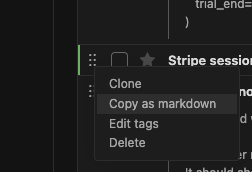
I notice that lately I spend a lot of time writing prompts. But I was using apps like Obsidian, or event github to write, which is a lot of extra friction and doesn’t sync with Everdo.
To make things easier, one thing I’m testing out is a menu option to export an item as markdown. This way I can write in Everdo and export with one click. I use it all the time now.
Can you share a real-life example of this? Copying in markdown is cool, but why would I write prompts in Everdo? Do you usually make up prompts when planning tasks, writing the prompt that will help you solve the task?
For example I have a project where I need to investigate something. Or I spot an issue that needs fixing. Normally I would write it down as a task for myself in a corresponding project or standalone.
At some point I noticed that some of these actions should really be done not by me but by a chatbot or an agent. So I naturally started putting in a bit more detail to give AI more context. Then I assign it a tag. I have a tag for coding agent and a tag for chatbot. When on the go, I will often come up with more tasks or pieces of context to give to AI. So I end up writing prompts essentially.
But these are still my tasks - they can’t really be done autonomously, because there will be back and forth between me and the machine. So putting them in Everdo seems like a natural fit to me. Then, when in the appropriate context, I filter by the AI tags and have an entire backlog of prompts to feed agents/chatbots.
This is why I find it useful to have something like this export as markdown feature. It’s one-click and it adds useful context by including project title and tags, so I don’t need to repeat what project the task is for in each action.
I’ve seen this when you originally posted it, but did not try it back then and did not think anything of it. I reread it now, and I think I understand what you are saying. And based on that understanding, I think this feature is very useful, but even more useful is the process and habit behind it.
I would like to get into the habit of doing this as well. Could you share one example of what your process looks like from start to finish for one item? I ask so that I could even better understand the use case and the benefits of this, and then see where on my end I could apply it, and how.