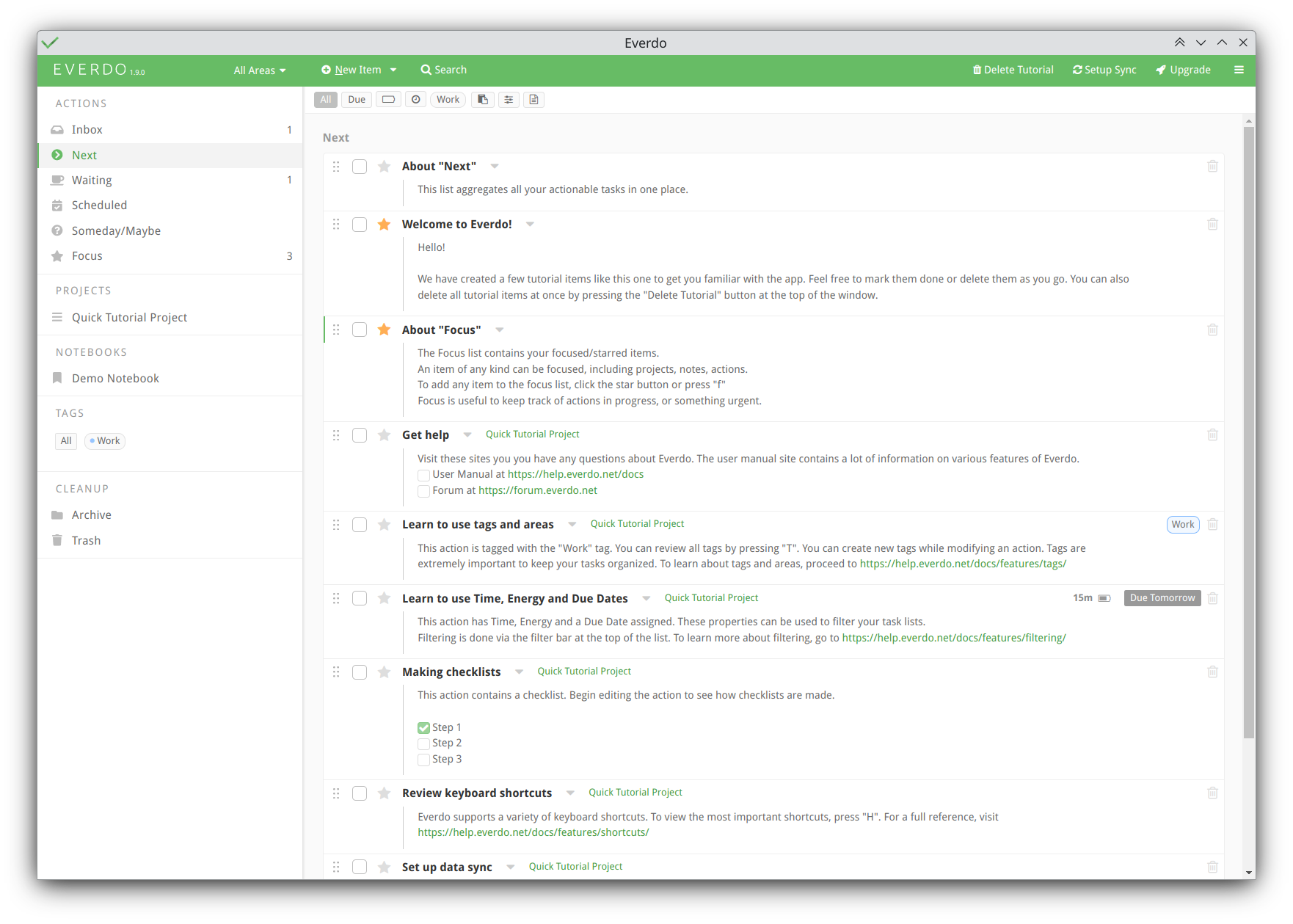
The iOS app is fine, but the text and icon contrast isn’t quite there on either the dark nor light themes on desktop. The text is too light in both dark and light modes. There’s a tiny delete icon near each item, and it’s almost invisible on my desktop and laptop screens. The description text underneath each item is especially bad, and checkboxes next to items and in description texts are ultra-thin low-contrast lines.
I don’t normally need or use high-contrast themes, but the only two options in Everdo seems to be extra-low contrast. 
https://webaim.org/resources/contrastchecker/?fcolor=B7B8B7&bcolor=FFFFFF