Hi Andrei, saw the update today, installed the snap version but no settings and data are imported from version 1.9. Snap 1.10 version start on my system only once.
I am on Ubuntu 24.04.
You are right, looks like the snap system gives the app a different data directory compared to installing from a package or AppImage.
According to snapcraft documentation it should be /home/<username>/snap/everdo/<revision>. Revision is 37 for 1.10.4.
It means that if you’ve been using Everdo from a .deb, AppImage or any other Linux-based distribution method, and then install a snap, the snap will start from a clean state without any of your data and settings and write its data to the new data directory.
To move your data and setting.
- Be extra careful with these steps not to lose your existing configuration and database
- Close both instances of Everdo (snap and the old one)
- Copy the files listed here from the old version’s data directory to the snap’s data directory. Overwrite all conflicts. The database file
dbis the critical one - others can be re-created like your custom shortcuts, but it’s easier to copy all files. Be careful not to overwrite your existing database file. - Start the snap to verify that your data and settings are there
- Once the snap has all your data, you can remove the old data directory
Note that you can keep using the old installation until you get the migration right. Just make sure not to delete / overwrite anything in the original data directory.
Please reply to this message if you need support.
Hi Andrei,
I installed the new snap version and started it once so that it creates the everdo folder in Home/…/snap
All Everdos are closed
The I copied all files from /home/…/.config/everdo to /home/…/snap/everdo/37/.config/everdo and replaced when merged or copied.
Snap-everdo doesn’t launch when I call it via the menu or launch it directly from /snap/bin
Any hint what I can do?
Thx for your time
Was it launching before you copied the files? Have you tried running it from the command line?
Yes, I launched it so that it created the everdo folder in snap.
No, when I launch it from /snap/bin/everdo it does nothing.
Does it log anything in the terminal window, or simply exit?
Can you try this:
- delete
37/.config - Run the snap again to let it recreate the default configuration files
- Move
dbonly, run snap, see if your data appears in the snap - Close the snap
- Move the rest of the files listed here and nothing else.
I did a fresh install snap-everdo. It launches the first time but afterwards not any more. At this point there aren’t any imported data or profiles. Simple the snap version launches only once.
OK, this makes more sense. What distribution and desktop environment are you using?
I’ll split this off into a new topic.
Host: Mini-PC Kernel: 6.8.0-49-generic arch: x86_64 bits: 64
Desktop: Cinnamon v: 6.0.4 Distro: Ubuntu Cinnamon 24.04.3 LTS (Noble
Numbat)
Can you try
# After you close the snap the first time, check if a zombie process is hanging around
ps aux | grep everdo

# Run from terminal to see what happens when you start it the second time
LOG_LEVEL=debug snap run everdo
Please post the outputs here or via PM.
ps aux | grep everdo gives this output:
user 11791 10.0 1.7 3544000 544968 ? Sl 11:14 0:11 /snap/firefox/7672/usr/lib/firefox/firefox Snap only launches once - #11 by Andrei
user 13880 0.0 0.0 9528 2304 pts/0 S+ 11:16 0:00 grep --color=auto everdo
LOG_LEVEL=debug snap run everdo

This does nothing. Where are the log files?
The log should appear in your terminal as the application runs. When you say does nothing, what does it look like? You enter the command and it returns without any output?
yes, without any output.
This might be GPU-related can you try running as follows
# Force X11 backend
OZONE_PLATFORM=x11 LOG_LEVEL=debug snap run everdo
# OR Disable GPU acceleration
LOG_LEVEL=debug snap run everdo --disable-gpu
though not sure why it would only apply on the second run.
Can you also please send the output of
ls -la ~/snap/everdo/current/.config/everdo/
and
ls -la ~/snap/everdo/common/
After the app fails to start?
OZONE_PLATFORM=x11 LOG_LEVEL=debug snap run everdo  – doesn’t do anything
LOG_LEVEL=debug snap run everdo –disable-gpu  – doesn’t do anything
ls -la ~/snap/everdo/current/.config/everdo/
total 212
drwx------ 13 golden-oak golden-oak 4096 Jan 20 20:26 .
drwxrwxr-x 8 golden-oak golden-oak 4096 Jan 20 20:25 ..
drwx------ 3 golden-oak golden-oak 4096 Jan 20 20:25 blob_storage
drwx------ 3 golden-oak golden-oak 4096 Jan 20 20:25 Cache
drwx------ 4 golden-oak golden-oak 4096 Jan 20 20:25 ‘Code Cache’
drwx------ 2 golden-oak golden-oak 4096 Jan 20 20:25 Crashpad
drwx------ 2 golden-oak golden-oak 4096 Jan 20 20:25 DawnCache
-rw-r–r-- 1 golden-oak golden-oak 110592 Jan 20 20:26 db
drwx------ 2 golden-oak golden-oak 4096 Jan 20 20:25 Dictionaries
drwx------ 2 golden-oak golden-oak 4096 Jan 20 20:25 GPUCache
drwx------ 3 golden-oak golden-oak 4096 Jan 20 20:25 ‘Local Storage’
drwx------ 2 golden-oak golden-oak 4096 Jan 20 20:25 logs
-rw------- 1 golden-oak golden-oak 490 Jan 20 20:26 ‘Network Persistent State’
-rw------- 1 golden-oak golden-oak 121 Jan 20 20:26 Preferences
-rw-rw-r-- 1 golden-oak golden-oak 58 Jan 20 20:25 session.json
drwx------ 2 golden-oak golden-oak 4096 Jan 20 20:26 ‘Session Storage’
drwx------ 3 golden-oak golden-oak 4096 Jan 20 20:25 ‘Shared Dictionary’
-rw------- 1 golden-oak golden-oak 36864 Jan 20 20:25 ‘Trust Tokens’
-rw------- 1 golden-oak golden-oak 0 Jan 20 20:25 ‘Trust Tokens-journal’
-rw-rw-r-- 1 golden-oak golden-oak 142 Jan 20 20:26 window-state.json
ls -la ~/snap/everdo/common/
total 12
drwxr-xr-x 3 golden-oak golden-oak 4096 Jan 20 20:25 .
drwxr-xr-x 4 golden-oak golden-oak 4096 Jan 20 20:25 ..
drwxrwxr-x 5 golden-oak golden-oak 4096 Jan 20 20:25 .cache
Don’t see anything wrong. Let’s try this
- Reinstall to get a clean state
- Before running, snapshot the state:
find ~/snap/everdo -type f > before.txt
- Run the app once, close it normally
- Snapshot again:
bash
find ~/snap/everdo -type f > after.txt
diff /tmp/before.txt /tmp/after.txt
This shows exactly what files were created, one of which must be the one causing the issue.
I uninstalled the snap version. I have still version 1.9 deb running.
Whereis everdo: /usr/bin/everdo
There is also in /run/udev/tags/snap_everdo_everdo the files listed in the screenshot but they are all 0 bytes.
I delete the folder ~/snap/everdo
Rebooted the computer
Reinstalled Everdo via Snap-Store
find ~/snap/everdo -type f > before.txt
find: ‘/home/golden-oak/snap/everdo’: No such file or directory
find ~/snap/everdo -type f > after.txt
diff /tmp/before.txt /tmp/after.txt – files were in home/golden-oak
diff before.txt after.txt
0a1,58
/home/golden-oak/snap/everdo/37/.last_revision
/home/golden-oak/snap/everdo/37/.pki/nssdb/cert9.db
/home/golden-oak/snap/everdo/37/.pki/nssdb/pkcs11.txt
/home/golden-oak/snap/everdo/37/.pki/nssdb/key4.db
/home/golden-oak/snap/everdo/37/.config/everdo/Session Storage/LOG
/home/golden-oak/snap/everdo/37/.config/everdo/Session Storage/MANIFEST-000001
/home/golden-oak/snap/everdo/37/.config/everdo/Session Storage/LOCK
/home/golden-oak/snap/everdo/37/.config/everdo/Session Storage/000003.log
/home/golden-oak/snap/everdo/37/.config/everdo/Session Storage/CURRENT
/home/golden-oak/snap/everdo/37/.config/everdo/GPUCache/data_2
/home/golden-oak/snap/everdo/37/.config/everdo/GPUCache/data_1
/home/golden-oak/snap/everdo/37/.config/everdo/GPUCache/data_3
/home/golden-oak/snap/everdo/37/.config/everdo/GPUCache/index
/home/golden-oak/snap/everdo/37/.config/everdo/GPUCache/data_0
/home/golden-oak/snap/everdo/37/.config/everdo/window-state.json
/home/golden-oak/snap/everdo/37/.config/everdo/logs/main.log
/home/golden-oak/snap/everdo/37/.config/everdo/logs/renderer.log
/home/golden-oak/snap/everdo/37/.config/everdo/Crashpad/client_id
/home/golden-oak/snap/everdo/37/.config/everdo/db
/home/golden-oak/snap/everdo/37/.config/everdo/Shared Dictionary/db
/home/golden-oak/snap/everdo/37/.config/everdo/Shared Dictionary/cache/index-dir/the-real-index
/home/golden-oak/snap/everdo/37/.config/everdo/Shared Dictionary/cache/index
/home/golden-oak/snap/everdo/37/.config/everdo/Shared Dictionary/db-journal
/home/golden-oak/snap/everdo/37/.config/everdo/Trust Tokens
/home/golden-oak/snap/everdo/37/.config/everdo/Cache/Cache_Data/73f800c08c84e67b_0
/home/golden-oak/snap/everdo/37/.config/everdo/Cache/Cache_Data/index-dir/the-real-index
/home/golden-oak/snap/everdo/37/.config/everdo/Cache/Cache_Data/b22ed39a5f886889_0
/home/golden-oak/snap/everdo/37/.config/everdo/Cache/Cache_Data/index
/home/golden-oak/snap/everdo/37/.config/everdo/Network Persistent State
/home/golden-oak/snap/everdo/37/.config/everdo/Local Storage/leveldb/LOG
/home/golden-oak/snap/everdo/37/.config/everdo/Local Storage/leveldb/MANIFEST-000001
/home/golden-oak/snap/everdo/37/.config/everdo/Local Storage/leveldb/LOCK
/home/golden-oak/snap/everdo/37/.config/everdo/Local Storage/leveldb/000003.log
/home/golden-oak/snap/everdo/37/.config/everdo/Local Storage/leveldb/CURRENT
/home/golden-oak/snap/everdo/37/.config/everdo/Preferences
/home/golden-oak/snap/everdo/37/.config/everdo/Trust Tokens-journal
/home/golden-oak/snap/everdo/37/.config/everdo/Dictionaries/en-GB-10-1.bdic
/home/golden-oak/snap/everdo/37/.config/everdo/Code Cache/wasm/index-dir/the-real-index
/home/golden-oak/snap/everdo/37/.config/everdo/Code Cache/wasm/index
/home/golden-oak/snap/everdo/37/.config/everdo/Code Cache/js/index-dir/the-real-index
/home/golden-oak/snap/everdo/37/.config/everdo/Code Cache/js/index
/home/golden-oak/snap/everdo/37/.config/everdo/session.json
/home/golden-oak/snap/everdo/37/.config/everdo/DawnCache/data_2
/home/golden-oak/snap/everdo/37/.config/everdo/DawnCache/data_1
/home/golden-oak/snap/everdo/37/.config/everdo/DawnCache/data_3
/home/golden-oak/snap/everdo/37/.config/everdo/DawnCache/index
/home/golden-oak/snap/everdo/37/.config/everdo/DawnCache/data_0
/home/golden-oak/snap/everdo/37/.config/user-dirs.dirs
/home/golden-oak/snap/everdo/37/.config/fontconfig/fonts.conf
/home/golden-oak/snap/everdo/37/.config/user-dirs.locale
/home/golden-oak/snap/everdo/common/.cache/gdk-pixbuf-loaders.cache
/home/golden-oak/snap/everdo/common/.cache/immodules/immodules.cache
/home/golden-oak/snap/everdo/common/.cache/gio-modules/giomodule.cache
/home/golden-oak/snap/everdo/common/.cache/fontconfig/f0045c606c137d158709e03e7389b737-le64.cache-9
/home/golden-oak/snap/everdo/common/.cache/fontconfig/0856bcac19f2f4e7a23358886e6e9750-le64.cache-9
/home/golden-oak/snap/everdo/common/.cache/fontconfig/fc3271ebd6d2ac8701fcbfa7bd723877-le64.cache-9
/home/golden-oak/snap/everdo/common/.cache/fontconfig/CACHEDIR.TAG
/home/golden-oak/snap/everdo/common/.cache/fontconfig/c1eee673b7fbc005f308347ceeeebe0a-le64.cache-9
whereis everdo
everdo: /usr/bin/everdo /snap/bin/everdo
Tried starting it second time - nope!
Here the ourput of /home/juergen/snap/everdo/current/.config/everdo/logs/render.log
[2026-01-21 18:10:19.639] [debug] AppConfig.ts: Using config file at /home/golden-oak/snap/everdo/37/.config/everdo/config.json
[2026-01-21 18:10:19.641] [info] AppConfig.ts: Error reading config file at /home/golden-oak/snap/everdo/37/.config/everdo/config.json: Error: ENOENT: no such file or directory, open ‘/home/golden-oak/snap/everdo/37/.config/everdo/config.json’
[2026-01-21 18:10:19.669] [debug] initSqlite.ts: new DB file created
[2026-01-21 18:10:19.670] [debug] initSqlite.ts: DB Version 0
[2026-01-21 18:10:19.670] [debug] initSqlite.ts: There are 8 unapplied database migrations.
[2026-01-21 18:10:19.670] [debug] initSqlite.ts: Applying migration #1…
[2026-01-21 18:10:19.670] [debug] initSqlite.ts: Applying migration #2…
[2026-01-21 18:10:19.670] [debug] initSqlite.ts: Applying migration #3…
[2026-01-21 18:10:19.671] [debug] initSqlite.ts: Applying migration #10…
[2026-01-21 18:10:19.671] [debug] initSqlite.ts: Applying migration #11…
[2026-01-21 18:10:19.671] [debug] initSqlite.ts: Applying migration #20…
[2026-01-21 18:10:19.671] [debug] initSqlite.ts: Applying migration #30…
[2026-01-21 18:10:19.671] [debug] initSqlite.ts: Applying migration #40…
[2026-01-21 18:10:19.671] [debug] initSqlite.ts: Database schema is up to date.
[2026-01-21 18:10:19.671] [debug] initSqlite.ts: Verifying database consistency.
[2026-01-21 18:10:19.689] [debug] initSqlite.ts: Migration #1 completed!
[2026-01-21 18:10:19.699] [debug] initSqlite.ts: Migration #2 completed!
[2026-01-21 18:10:19.709] [debug] initSqlite.ts: Migration #3 completed!
[2026-01-21 18:10:19.720] [debug] initSqlite.ts: Migration #10 completed!
[2026-01-21 18:10:19.725] [debug] initSqlite.ts: Migration #11 completed!
[2026-01-21 18:10:19.728] [debug] initSqlite.ts: Migration #20 completed!
[2026-01-21 18:10:19.732] [debug] initSqlite.ts: Migration #30 completed!
[2026-01-21 18:10:19.736] [debug] initSqlite.ts: Migration #40 completed!
[2026-01-21 18:10:19.832] [debug] AutosyncScheduler.autosyncLoop: Sync will be attempted now, if possible.
[2026-01-21 18:10:19.832] [debug] SyncController: Auto-sync disabled or not configured.
[2026-01-21 18:10:19.896] [debug] Repository.ts: Executing query. Queue length 1
[2026-01-21 18:10:19.896] [debug] Repository.ts: Begin transaction by importData
[2026-01-21 18:10:19.898] [debug] Repository.ts: Commit transaction by importData
[2026-01-21 18:10:19.913] [debug] Repository.ts: Transaction by importData committed.
[2026-01-21 18:10:24.849] [debug] AutosyncScheduler.autosyncLoop: Sync will be attempted now, if possible.
[2026-01-21 18:10:24.849] [debug] SyncController: Auto-sync disabled or not configured.
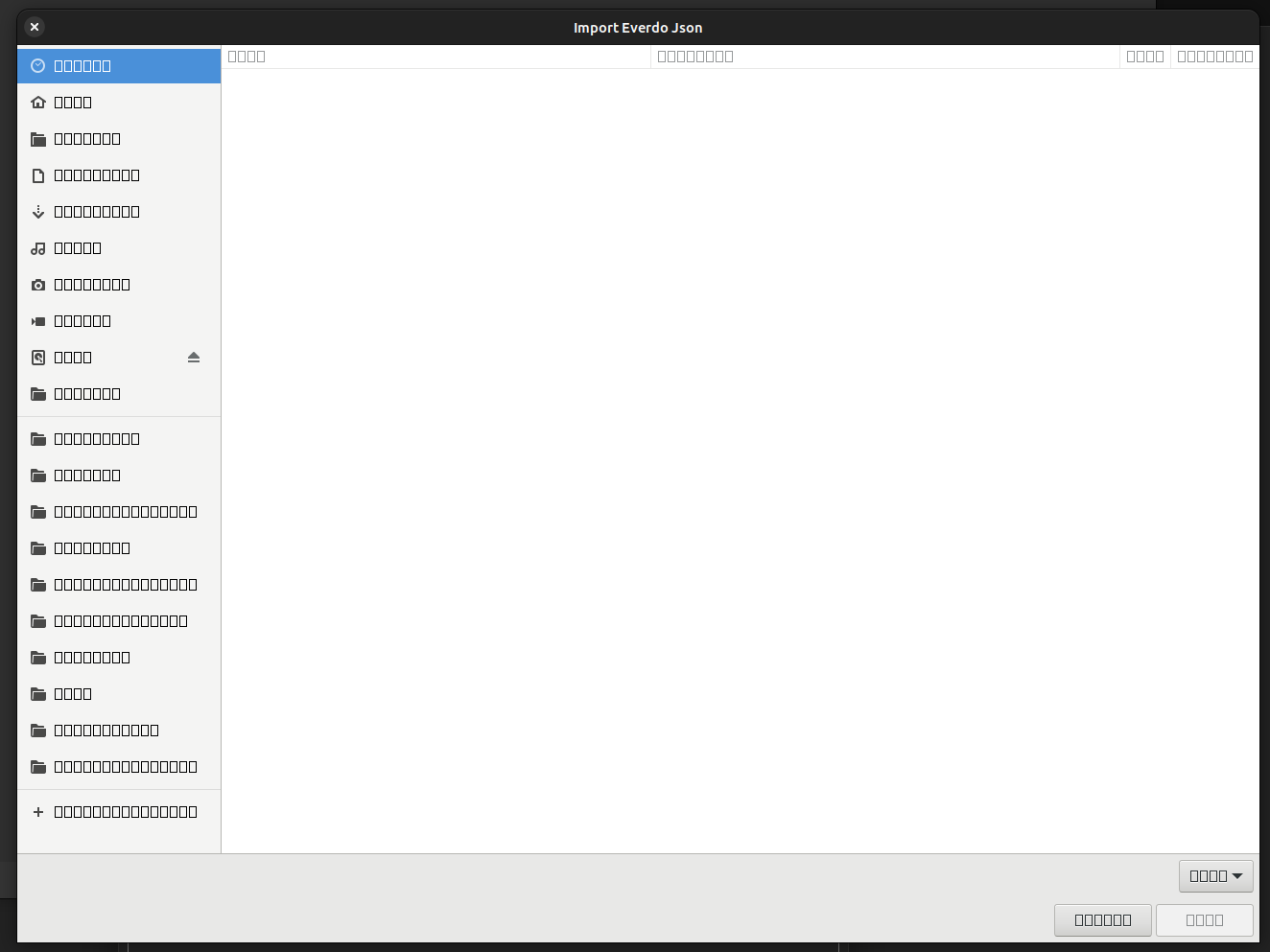
The snap sandbox cannot access system fonts. This seems like a snap/ubuntu internal integration issue on your system or in cinnamon in general.
I’m really sorry you are having to deal with this. The snap was tested on the latest Ubuntu Desktop environment. Needless to say, none of those issues presented.
Have you tried running the AppImage on your system?